Titles, subtitles and captions can be edited where they stand. Double-click one on the canvas and type: the layer updates as you go, with no trip to the text field in the Properties Panel.
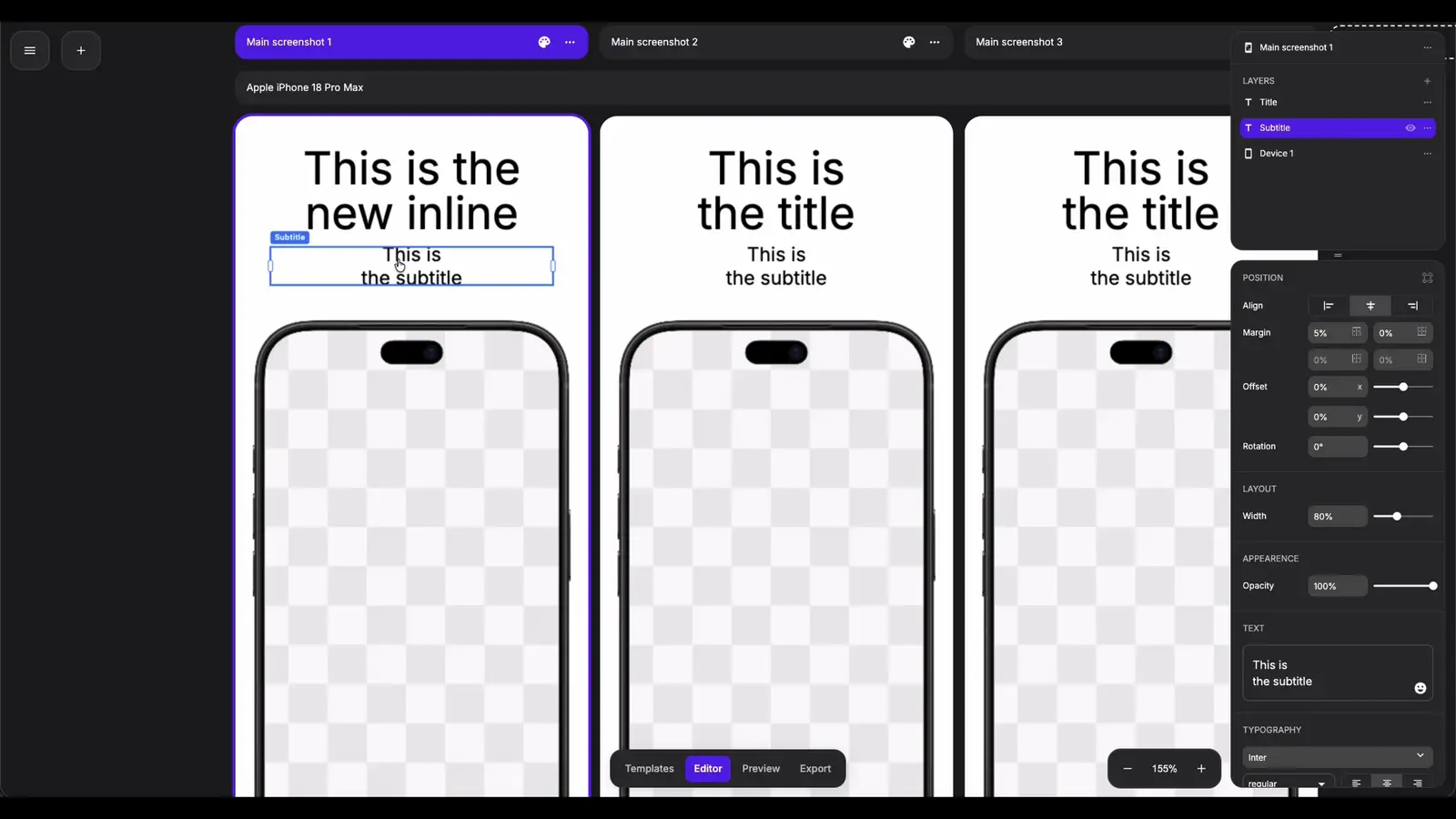
Start and Finish Editing
- Double-click a title, subtitle or caption. A caret appears in the text.
- Type. Press
Enterto start a new line. - Press
EscapeorCtrl/Cmd+Enterto finish. Clicking anywhere outside the layer finishes too.
Moving Around and Selecting
The editor behaves like any other text box:
- Click to place the caret, drag to select, double-click a word to select it.
←→↑↓,HomeandEndmove the caret.- Hold
Shiftto extend the selection. - Hold
Ctrl/Cmdto jump by word or by line.
Rotated text layers are edited in place, with the caret following the tilt.
Undo
Ctrl/Cmd + Z inside the editor steps back through what you typed since you opened it.
Once you leave the editor, everything you typed counts as a single step in the project's history, however many characters it was. The history holds 100 steps.
Words With Their Own Styling
Text backgrounds, decorations and flairs can be applied to single words. Editing the text keeps them where you put them:
- Words you did not touch keep their styling.
- Typing inside a styled word keeps it styled.
- Splitting a styled word in two leaves the styling on the first half.
Editing Text for One Device
On an Instance Screenshot, double-click edits the text that device actually shows: its override if it has one, the Main Screenshot's text otherwise.
Hold Ctrl/Cmd and double-click to create an override for that device from the text it shows, and start editing it straight away. Creating the override and typing into it undo together.
Good to Know
- Keyboard shortcuts are switched off while the editor is open, so typing a number does not switch screenshots and
Deleteremoves a character rather than the layer. They resume the moment you leave. - If the layer is hidden, another layer is selected, the text is changed in the Properties Panel or an undo lands while the editor is open, the editor closes and keeps that change rather than overwriting it.