6 min read
Device Stickies: The Smart Annotation System That Goes Beyond Static Callouts

Dan DeaconuCEO & Designer, AppMockUp
- New Feature
- Annotation System
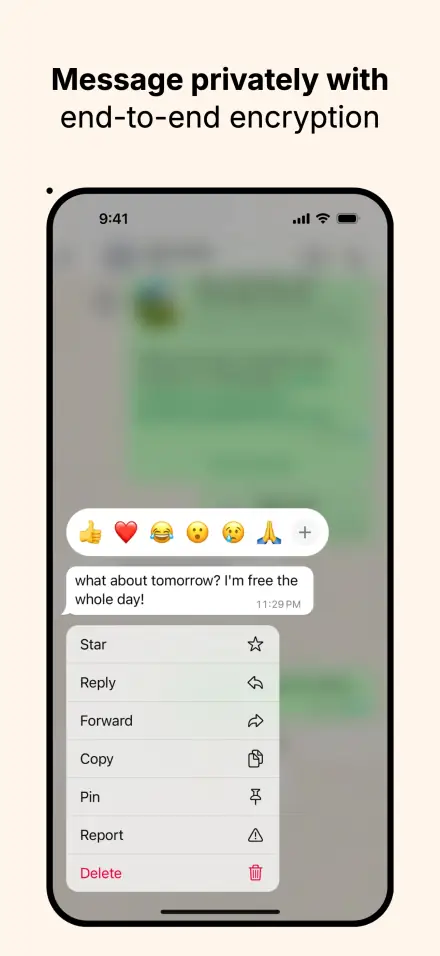
App store screenshots tell stories, but traditional annotation tools often break the narrative flow. We've created Device Stickies - a revolutionary annotation system that transforms device mockups into compelling stories with intelligent overlay annotations.
Rethinking Annotation Systems
Generic arrows, basic text overlays, and disconnected callouts create visual clutter that distracts from your app's actual interface. Users struggle to understand the relationship between annotations and the features they're meant to highlight.
The fundamental challenge has always been this: how do you add meaningful context to device mockups without compromising their authentic, professional appearance?
Device Stickies solve this by working as intelligent visual elements that understand device geometry, respect your app's aesthetic, and position themselves with professional precision.
Revolutionary Hand Device Support
Here's where Device Stickies truly differentiate themselves: complete compatibility with hand device layers. This isn't just a technical achievement – it's a paradigm shift for app presentation.
For the first time, you can create realistic, annotated demonstrations of actual device usage. Show users how to perform gestures, where to tap for optimal interaction, or how your app feels in real-world scenarios.
Hand Device Applications:
Gesture Education - Show precisely where and how users should interact
Accessibility Guidance - Demonstrate proper device handling techniques
User Journey Mapping - Annotate realistic usage scenarios with context
Interaction Tutorials - Create step-by-step guides with authentic hand positioning
This capability transforms static screenshots into dynamic learning experiences that users can immediately understand and relate to.
Intelligent Positioning Systems
Device Stickies feature two sophisticated positioning modes that adapt to your creative needs.
Alignment-Based Positioning
The default system treats your device as a 9-point grid of logical attachment areas. Choose "top-center" and your sticky intelligently positions itself at the device's top edge, perfectly centered. Change device orientation or size? The sticky automatically repositions to maintain its logical relationship.
This system includes smart origin control – specify which part of your sticky serves as the anchor point. Want a callout bubble to "hang down" from the device's corner? Set the sticky's top as the origin, and it positions perfectly every time.
Precise Offset Control
For pixel-perfect positioning, use the offset feature to fine-tune placement with percentage-based coordinates. Combined with alignment and origin points, you can position stickies anywhere with mathematical precision – perfect for complex overlay compositions or exact brand placement requirements.
The system understands device geometry, including button edges and frame variations, ensuring your annotations always look professionally placed regardless of device type.
Depth-Aware Composition
One of the most powerful aspects of Device Stickies is their depth control system. Each sticky can appear either behind or in front of your device content, enabling sophisticated layering effects.
Behind Device Applications
- Environmental context elements
- Background branding or watermarks
- Subtle visual enhancements that don't interfere with UI clarity
In Front Applications
- Primary callouts and annotations
- Interactive guides and tutorials
- Emphasis elements that need maximum visibility
This dual-depth system allows you to create rich, layered compositions where every element serves a specific purpose in your visual hierarchy.
Professional Visual Effects
Device Stickies go far beyond basic annotation capabilities. Each sticky becomes a fully customizable design element with professional-grade styling.
Advanced Image System
Scale Modes - Fill, fit, crop, or stretch custom imagery to perfect proportions
Transform Control - Precise positioning and transformation of image content
Overlay Effects - Layer multiple visual elements for complex designs
Color Adjustments - Fine-tune brightness, contrast, hue, and saturation in real-time
Styling Capabilities
Corner Radius - From subtle rounding to bold shapes with individual corner control
Advanced Strokes - Solid, dotted, dashed patterns with custom dash arrays
Drop Shadows - Professional depth effects with precise control
Opacity Management - Perfect transparency blending for layered compositions
Smart Fill Options
Image Fills - Use any custom imagery with intelligent scaling
Color Fills - Solid colors with full opacity control
Gradient Fills - Smooth color transitions for modern aesthetics
Strategic Use Cases
App Store Marketing
Create compelling app store screenshots that guide users through your app's value proposition. Use stickies to highlight key features, add promotional badges, or create step-by-step usage demonstrations that immediately communicate your app's benefits.
User Documentation
Transform static screenshots into interactive learning materials. Add numbered steps, directional indicators, and contextual explanations that help users understand complex workflows or new features.
Feature Announcements
Showcase new functionality with precision callouts that direct attention to specific UI elements. Create before-and-after comparisons or highlight subtle interface improvements that users might otherwise miss.
Accessibility Communication
Use hand device mockups with stickies to demonstrate proper interaction techniques, optimal device positioning, and accessibility-friendly usage patterns. This is particularly valuable for apps targeting users with specific accessibility needs.
Comprehensive Management System
Managing multiple stickies across complex projects becomes effortless with the integrated management system.
Organization Tools
- Drag-and-drop reordering for arranging visual hierarchy
- Descriptive labeling for easy identification in complex projects
- Visibility control to toggle individual stickies on/off for comparison testing
- Duplication to copy stickies with all styling for consistent branding
Smart Workflow
- Real-time preview to see all changes instantly as you work
- Contextual editing through intuitive interface
- Batch operations for efficient management of multiple elements
Best Practices for Maximum Impact
Strategic Placement
Focus on stickies that enhance understanding rather than adding visual noise. Each annotation should serve a specific purpose in your narrative – whether that's highlighting a feature, explaining an interaction, or providing context.
Visual Consistency
Establish a styling system for your stickies. Use consistent corner radius, shadow styles, and color schemes across related annotations. This creates professional coherence and reinforces your brand identity.
Depth Strategy
Plan your depth placement thoughtfully. Use behind-device stickies for subtle enhancements and in-front stickies for primary information. Avoid having too many elements competing for attention at the same depth level.
Device Stickies represent more than just an annotation tool – they're a complete rethinking of how app presentations should work. The hand device integration opens new possibilities for app marketing and education.
Getting Started with Device Stickies
Device Stickies are available across all device types in AppMockUp Studio, with no account required and completely free access. The system builds on familiar interface patterns, so existing users will find the functionality intuitive and immediately useful.
Creating Your First Sticky:
- Select any device layer in your project
- Navigate to the Stickies panel and click the "+" button
- Choose your preferred alignment or positioning mode
- Upload custom imagery or select from built-in options
- Apply styling effects to match your brand
- Position and layer for optimal visual impact
For hand device scenarios, the workflow remains identical - simply select a hand device layer instead of a standard device mockup. The same positioning intelligence, visual effects, and management tools work seamlessly across both contexts.
The Future of Interactive Presentation
Device Stickies represent a fundamental shift in how app presentations should work. By combining intelligent positioning, sophisticated visual effects, and universal device compatibility, they enable presentation styles that were previously impossible.
The hand device integration particularly opens new possibilities for app marketing and education:
- Augmented Tutorials - Layer contextual information over realistic device usage
- Gesture Libraries - Create comprehensive interaction guides with proper hand positioning
- Accessibility Showcases - Demonstrate inclusive design through authentic usage scenarios
- Marketing Narratives - Tell compelling stories through realistic device interactions
In an increasingly competitive app marketplace, the ability to create compelling, educational, and authentic presentations gives you a significant advantage. Device Stickies ensure your app's best features get the attention they deserve while maintaining the professional quality that builds user trust.
Transform your app presentations at studio.app-mockup.com today.
No account required.
It's fast & free.